

Best Ways to Verify Original Photography (2026 Guide)
Table of Contents
- Start With Reverse Image Search and Source Verification
- How to Spot AI Generated Images Using EXIF Data and Visual Artifacts
- What a Certificate of Authenticity Photography Buyers Rely On Should Include
- Judging Fine Art Photography Print Quality in Person
- Digital Manipulation Detection: Error Level Analysis and Forensic Software
- C2PA Content Credentials and Blockchain Provenance Tracking
- Conclusion
- Frequently Asked Questions
Last Updated: October 4, 2026
Start With Reverse Image Search and Source Verification
The fastest way to verify original photography is to run a reverse image search before you trust any listing, and it is the simplest way to verify original work. According to Google's official guidance on reverse image search, uploading or pasting an image into the search tool surfaces every other place that same picture appears online. If a "one-of-a-kind" print shows up on fifty stock sites, you have your answer.
At Art By Earth, we treat source verification as the first filter, not the last. Here is how to run it well:
- Save the image file from the listing.
- Upload it to Google Images, Bing Visual Search, and TinEye.
- Scan the results for stock libraries, Pinterest boards, and older listings.
- Check the seller's own site for the same photo under a different title.
Cross-Referencing Across Multiple Search Engines
No single search engine indexes everything. Google skews toward popular pages, TinEye favors older archived copies, and Bing often catches images Google misses. Run all three. A common mistake is stopping after one search and calling the photo "original." That is not proof. It is a guess.
How to Spot AI Generated Images Using EXIF Data and Visual Artifacts
EXIF data is the hidden record a camera writes into every photo file, covering shutter speed, lens, ISO, and capture date. When you know how to spot AI generated images, missing or scrambled EXIF data is one of the loudest warning signs. Real cameras leave a trail. Generators usually do not.
Check these markers:
- No EXIF block at all on a file sold as a camera original
- Impossible camera settings, like a shutter speed no lens could pair with
- Mismatched software tags showing editing suites instead of a camera
- Strange hands, teeth, or text that warp under close zoom
- Backgrounds that melt into nonsense shapes at the edges
Reading the Noise Floor
Every sensor produces a faint, random grain called the noise floor. On a real photograph, that grain is consistent across the whole frame because it comes from one sensor at one moment. Generative models do not have a sensor, so they synthesize texture region by region. Zoom to 200% on a flat area, a clear sky, a painted wall, a shadow, and compare it to a textured area like hair or foliage.
A related tell is frequency-domain fingerprinting. GAN-based generators often leave a faint periodic grid, sometimes called a checkerboard artifact, that becomes visible when an image is run through a Fourier transform. Free browser tools such as Forensically include a magnifier and a JPEG-analysis view that can surface this pattern without any math on your part.
Differentiating AI Generation From Photoshop Edits
Most guides conflate these two, but they leave different forensic signatures. Photoshop edits keep the original EXIF skeleton. AI generation usually builds a new file from scratch. That difference matters. A retouched sky still carries lens data, capture time, and camera model.
Look at the edges of objects too. Photoshop cloning leaves soft seams and repeated texture, the same patch of grass pasted twice, with matching noise. AI generation leaves smeared detail and objects that fade into each other, because the model is interpolating plausible pixels rather than copying real ones.
A quick field test: open the file in a metadata reader and check the Software tag. Values like Adobe Photoshop, Lightroom, or Capture One indicate a real capture that was edited. Values like Midjourney, Stable Diffusion, DALL·E, or an empty tag on a file sold as a camera original point the other direction.
What a Certificate of Authenticity Photography Buyers Rely On Should Include
A certificate of authenticity is a signed document that ties a specific print to its maker, edition, and date. A useful certificate of authenticity photography buyers can trust should include:
- The photographer's name and signature
- The title of the work and the year it was made
- The edition size and the number of your print
- The print method, paper type, and dimensions
- A unique ID or serial number
- Contact details for the studio or gallery
Ask for a matching serial number on the print itself. If the paper has no mark and the certificate has no number, the document proves nothing.
Judging Fine Art Photography Print Quality in Person
Fine art photography print quality comes down to what your eyes and hands can confirm. Hold the print at an angle under good light. Look for deep blacks, clean highlights, and detail that survives in the shadows. A cheap print looks flat and slightly muddy.
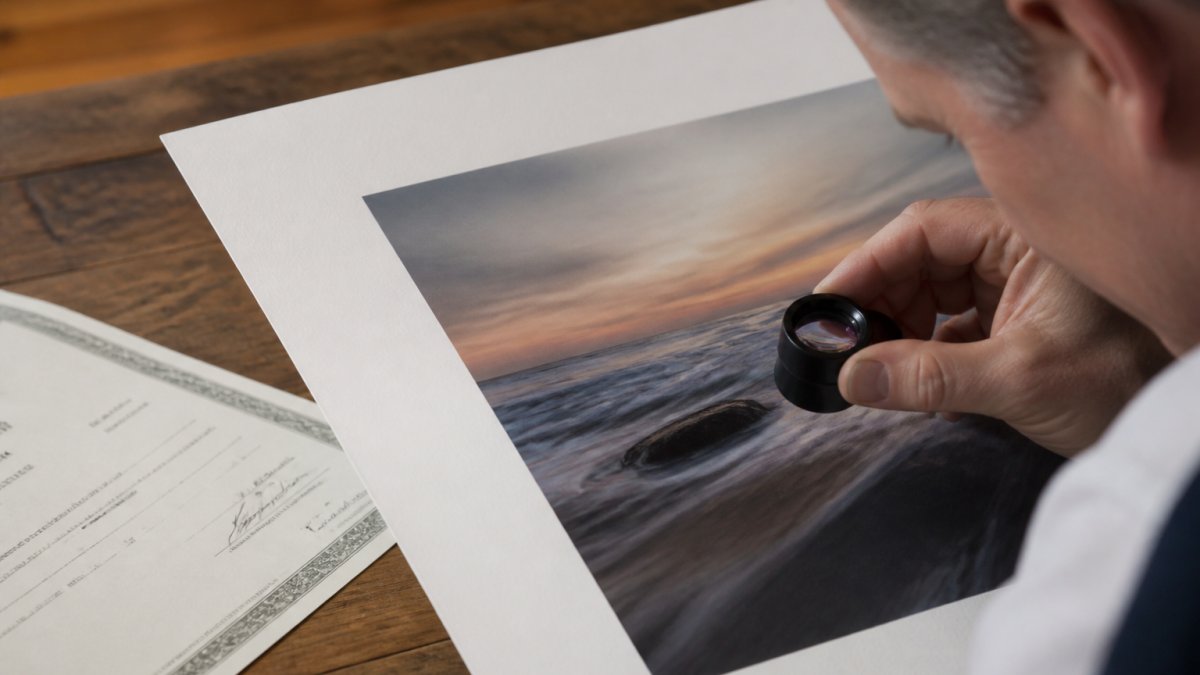
Check the paper surface, the border width, and whether the ink sits on top of the paper or soaks in. Frameless canvas should feel taut and evenly stretched. Uneven corners and ripples in the fabric point to rushed production.
Physical Aging Markers on Vintage and Modern Prints
Real age leaves real marks. Vintage prints show yellowed paper, faint foxing spots, and slight fading in the highlights. Modern pigment prints hold color far longer, so a "vintage" print with bright, uniform color deserves suspicion. Look at the back of the print too. Old paper yellows unevenly, and mounting tape leaves its own history.
Digital Manipulation Detection: Error Level Analysis and Forensic Software
Error level analysis is a forensic method that re-saves an image at a known quality and measures which areas compress differently. Edited regions often stand out because they were saved at a different point in the file's life. Free tools like Forensically and FotoForensics run this check in a browser.
How ELA Actually Works, and Where It Lies
When a JPEG is saved, the encoder throws away detail in a way that is roughly uniform across the frame. Re-save the file at, say, 90% quality and every region loses a similar amount of information. A region that was pasted in from another file, or saved at a different quality earlier, will light up brighter or darker than its neighbors in the ELA output.
That is the theory. In practice, ELA produces false positives constantly. High-contrast edges, textured surfaces like brick or foliage, and any area that was resized or sharpened will glow even on an untouched photo. A common pattern is a bright halo around every edge in the frame, that is the encoder, not a forger. Treat ELA as a heat map that tells you where to look, not as a verdict.
Layering the Checks
ELA alone is weak. Stack it with three other tests and the picture sharpens:
- Clone detection. Forensically's clone-detection view highlights regions that repeat across the frame. Copy-move forgery, duplicating a person, a signature, or a cloud, shows up here even when ELA is ambiguous.
-
Metadata forensics. Read the full EXIF and XMP blocks, not just the summary. Look for edited timestamps that predate the camera model,
Softwaretags from editing apps on a file sold as straight-from-camera, and GPS coordinates that disagree with the seller's story. - JPEG ghost analysis. This technique re-compresses the image at a range of quality levels and looks for the quality setting that leaves the smallest trace. A file with two different ghost peaks was almost certainly saved twice, once by a camera, once by an editor.
Mobile Forensic Apps for On-the-Site Checks
Most guides stop at desktop tools, but gallery openings, estate sales, and flea markets are where you actually need a fast answer. A handful of mobile-native apps now bring basic forensics to a phone:
- Photo Investigator (iOS) reads EXIF, GPS, and file hashes without uploading the image anywhere.
- ExifTool has a mobile-friendly build for Android that exposes the full metadata block, not just the summary fields.
- Forensically runs in a mobile browser, so the ELA and clone-detection views work on a phone with no install.
Two caveats. First, most phone apps strip or rewrite metadata when they touch a file, so always work from the original, not a screenshot or a re-share. Second, mobile tools are for triage. If a piece is worth real money, take the file home and run the desktop stack before you commit.
When to Bring In a Professional
If the stakes justify it, a five-figure print, a disputed estate, an insurance claim, a certified forensic examiner can run tests that consumer tools cannot, including sensor pattern noise analysis and PRNU matching. The National Institute of Standards and Technology digital forensics guidance outlines the standards those examiners work to. For everyday buying, the layered consumer checks above catch the overwhelming majority of fakes.
C2PA Content Credentials and Blockchain Provenance Tracking
Provenance is the documented history of who made an image and where it has been. A growing standard called C2PA attaches tamper-evident content credentials to a file, recording edits and origin in a way that travels with the image. The C2PA specification from the Coalition for Content Provenance and Authenticity explains how these credentials are signed and verified.
Blockchain provenance takes a different path. It timestamps a hash of the image on a public ledger, so any later change breaks the match. Neither system is perfect. Credentials can be stripped, and a ledger only proves a file existed at a point in time, not that it is good art. Still, both give you a paper trail that older methods lack.
Conclusion
Verifying original photography takes a few minutes and saves you from a costly mistake. The tools are free, the checks are simple, and the pattern of a fake rarely survives all of them.
At Art By Earth, every piece starts with impressionistic nature photography shot from real landscapes, flora, and water scenes. Each purchase supports charities that protect the environment. If you want art you can trust and feel good about, shop the Art By Earth collection today.
Frequently Asked Questions
How can I tell if a photography print is an original?
Check for a signed certificate of authenticity, limited edition numbering, and consistent print quality under a loupe. Request the original EXIF data and run a reverse image search to confirm the image does not appear on stock or wallpaper sites. Genuine fine art photography prints typically have visible paper texture, accurate color depth, and provenance documentation from the artist or gallery.
What is a certificate of authenticity for photography?
A certificate of authenticity is a signed document from the photographer or publisher that confirms the image's origin, edition size, print date, and materials used. It should include the artist's signature, edition number, and details about the printing process. For higher-value works, some certificates now carry C2PA content credentials or a digital signature that ties the physical print to its verified digital source.
How do I check if an image has been digitally manipulated?
Run error level analysis in forensic software to spot compression inconsistencies that reveal tampering. Check EXIF data for editing software traces, missing camera metadata, or mismatched timestamps. Reverse image search the file to find earlier versions. Inconsistent lighting, cloned patterns, and irregular shadow edges are visual clues of digital manipulation that pixel analysis can confirm.
Are there tools to detect AI-generated photography?
Yes. AI detection tools analyze pixel patterns, noise distribution, and compression artifacts that generative models leave behind. You can also check for C2PA content credentials, which verify an image's origin and editing history. Visual artifacts like warped hands, nonsensical reflections, and unnatural texture repetition are reliable signs. Cross-referencing with historical archives and the photographer's portfolio confirms authenticity.